Export
Turn the reviewed document into a font file.
Tracey uses the same readiness state in the character list and export controls. Blocking issues must be resolved; missing characters can remain as warnings when you do not need them.
OTF workflow
Export a font for everyday use
- 01Read the readiness message and resolve any blockers. Missing characters are warnings when the remaining font is otherwise ready.
- 02Test the name you want for the font family. Use a new name while comparing versions to avoid installed-font conflicts.
- 03Open font details, add the creator name if wanted, and choose Export for an OTF file.
- 04Install the downloaded OTF, restart an app that was already open, and type a short test sentence.
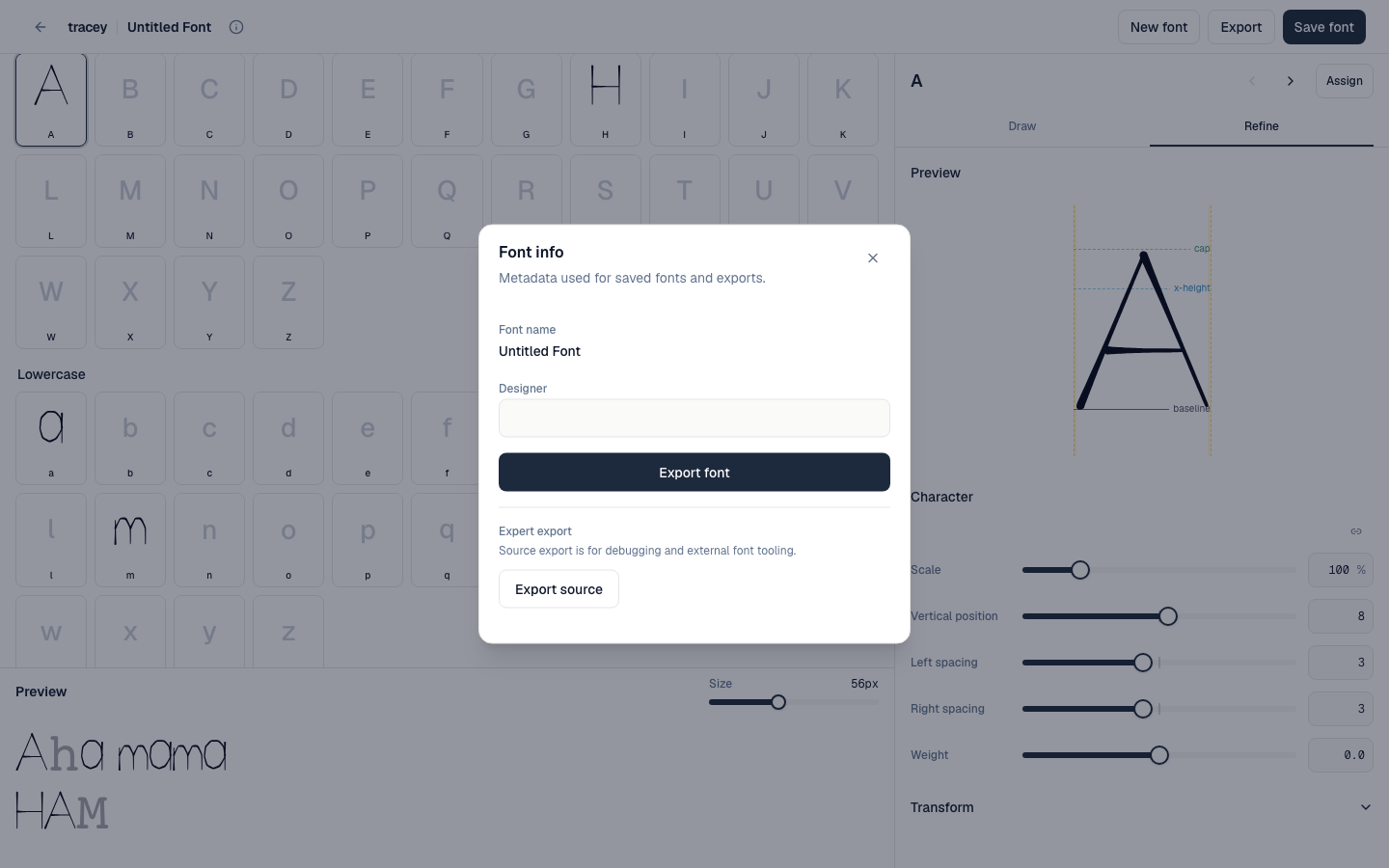 Font details and both export choices live in one dialog; availability follows the document’s real readiness state.
Choose a format
OTF or UFOZ
- OTF: the installable font file for normal use in desktop applications. A Basic Latin OTF is free.
- UFOZ: editable source for a compatible font editor. It is not the file you install for everyday typing.
- Extended-character and UFOZ exports can require sign-in, a saved project, and either a one-off purchase or active membership.