Drawing workflow
Make a font without a template.
Direct drawing is a separate starting path. It uses the same character editor, preview, saving, and export system as a scanned font, without photo alignment or import warnings.
First pass
Draw the character set
- 01Open Tracey and choose Draw characters.
- 02Choose Basic Latin, Complete base, or Extended. Basic Latin is the fastest first font.
- 03Select a character, then draw it in the editor. Use Undo or clear the canvas when the shape is not right.
- 04Move through the character list and use the live preview to compare size, baseline, and spacing.
- 05Name the font and export when the readiness message has no blockers.
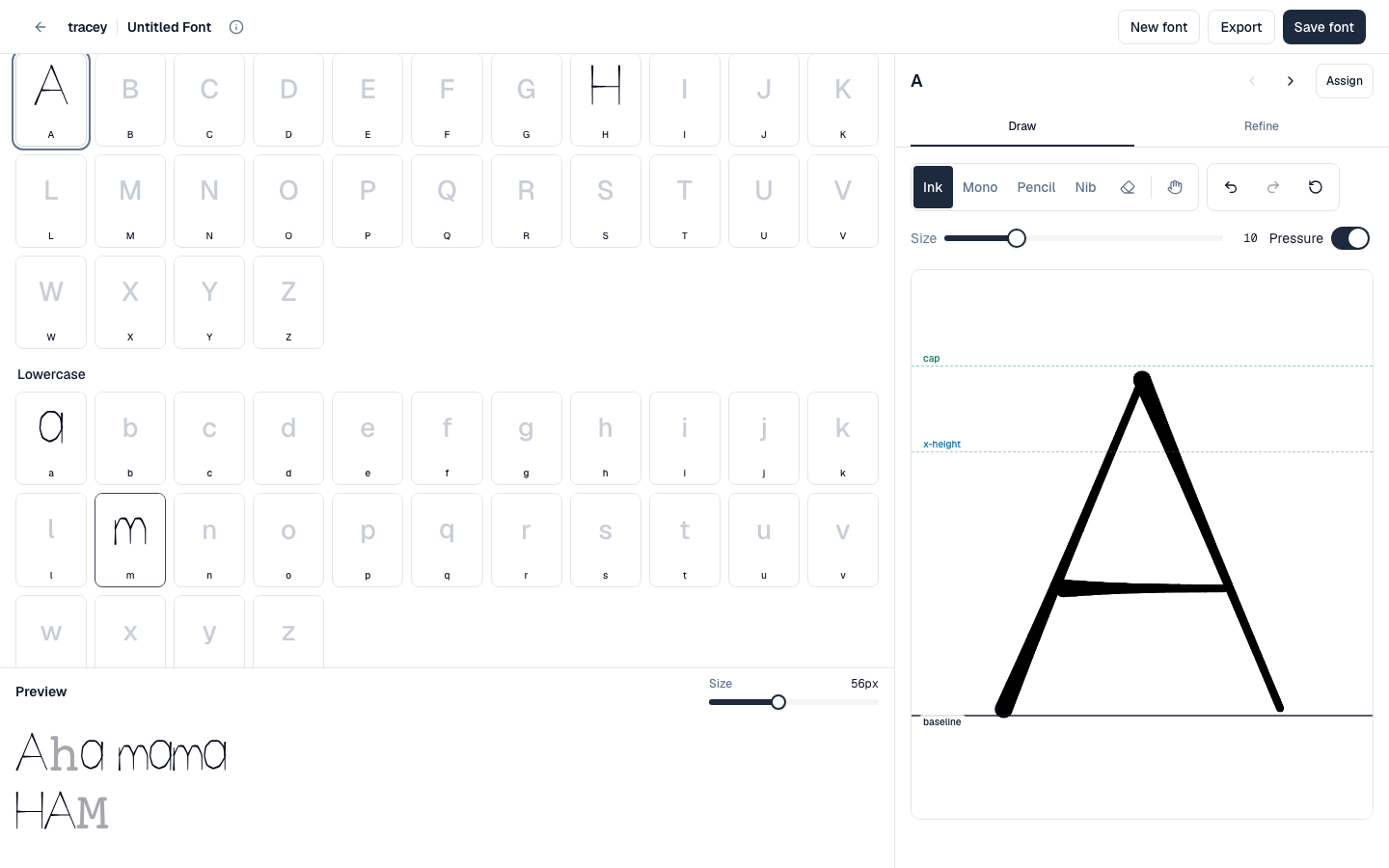 A real scripted Basic Latin document shows the character grid, live specimen, and drawing canvas together.
Keep it consistent
Compare, then adjust
- Draw several related letters before fine-tuning spacing. Their shared proportions are easier to compare together.
- Use the preview for words, not only isolated characters.
- Use scale and baseline controls for placement; redraw when the actual stroke shape is wrong.
- The space character has width only. Adjust its advance instead of drawing a shape.